

PaymentHood for Phoca Cart
Accept payments through 15+ payment providers with a single integration. Install in minutes and start processing payments in your Joomla Phoca Cart store instantly.

Installation Guide
Follow these simple steps to install PaymentHood in your Phoca Cart store
Download the Plugin
Download the latest PaymentHood Phoca Cart plugin from our GitHub repository. It is a standard Joomla extension package (.zip) — no build steps or extra dependencies required.
Download PluginNavigate to the Joomla Extensions Manager
Log in to your Joomla administrator panel and go to Extensions → Install to open the extension installer.
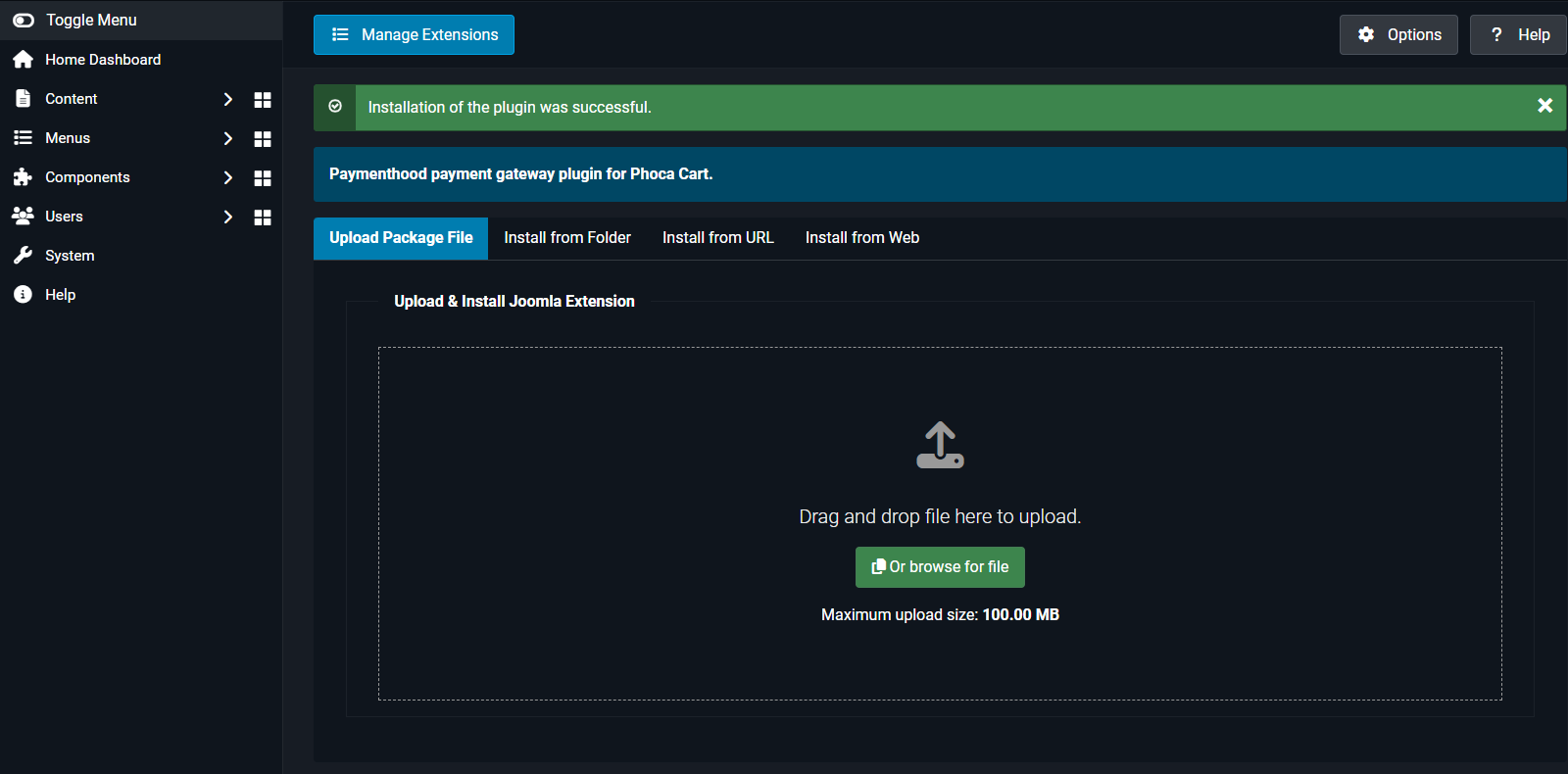
Upload & Install the Plugin
Choose the Upload Package File tab, select the ZIP file you downloaded, and click Upload & Install. Joomla will install the PaymentHood plugin in seconds.
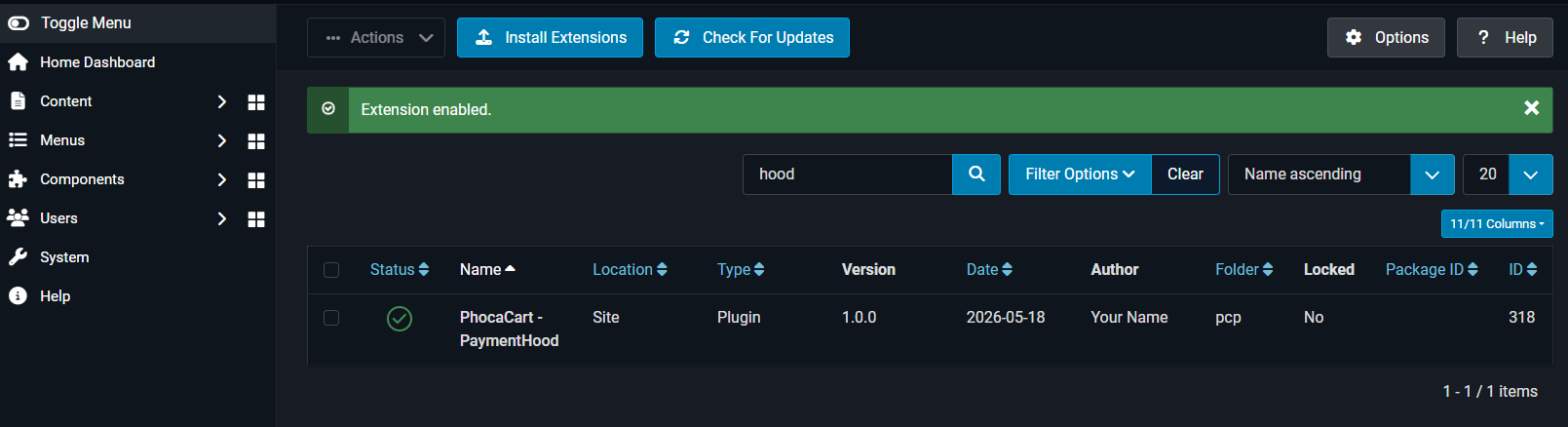
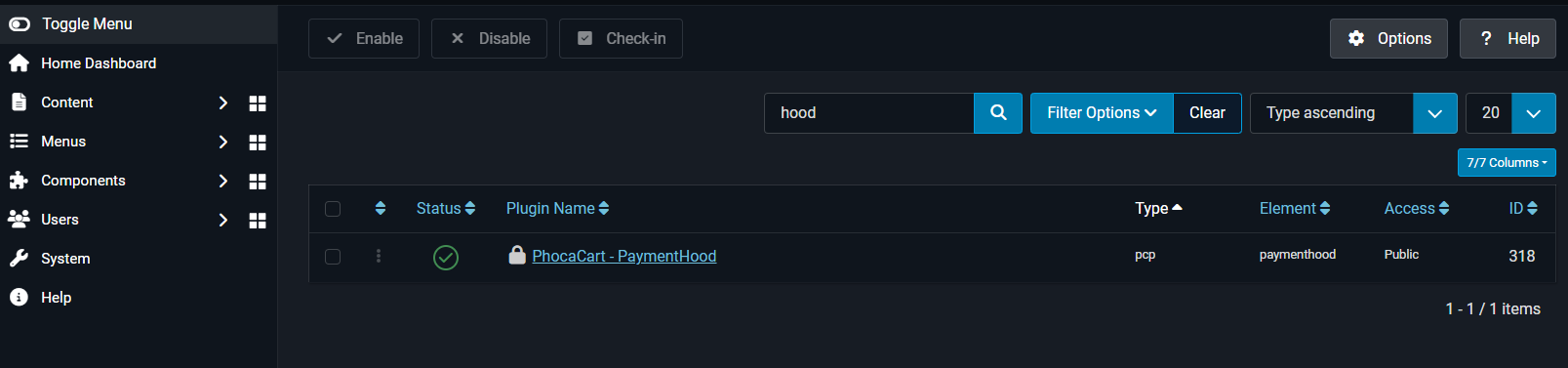
Enable PaymentHood in Phoca Cart
Once installed, go to your Phoca Cart configuration and navigate to Payment Methods. Find PaymentHood in the list and enable it.
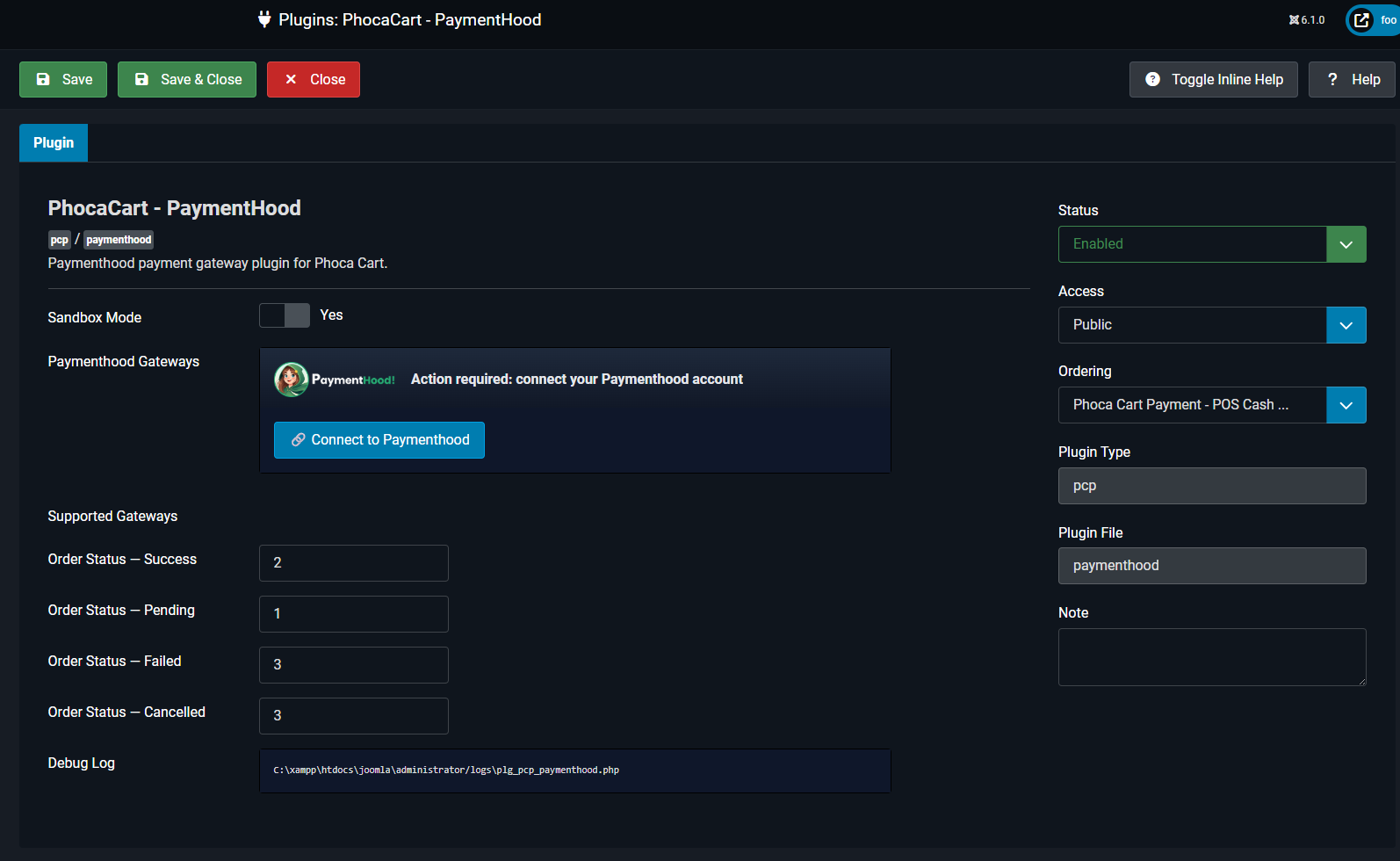
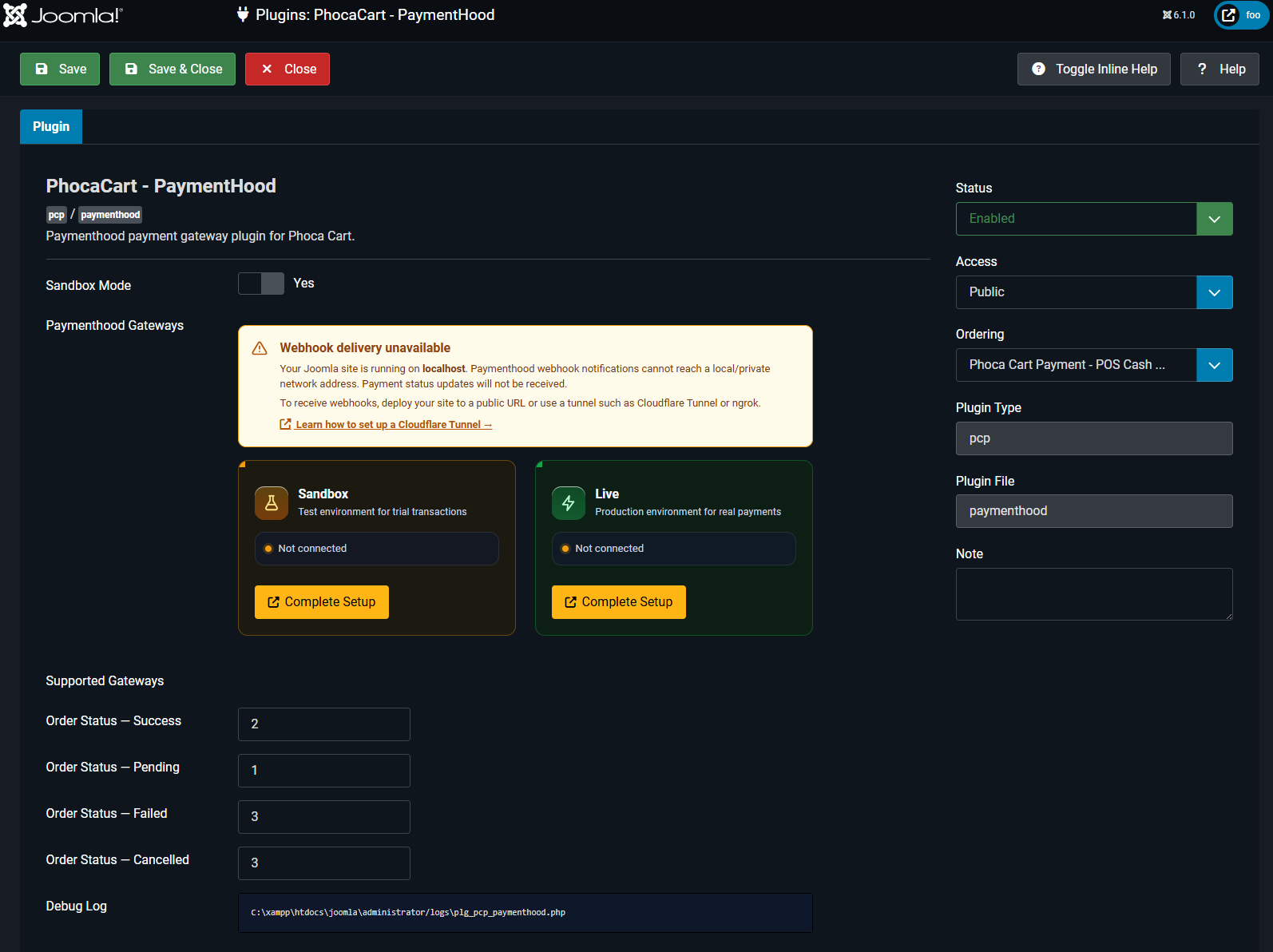
Complete Setup of PaymentHood
Open the PaymentHood payment method settings. Click the Complete Setup button to be redirected to PaymentHood for account configuration.
Setup Your Gateways in PaymentHood Console
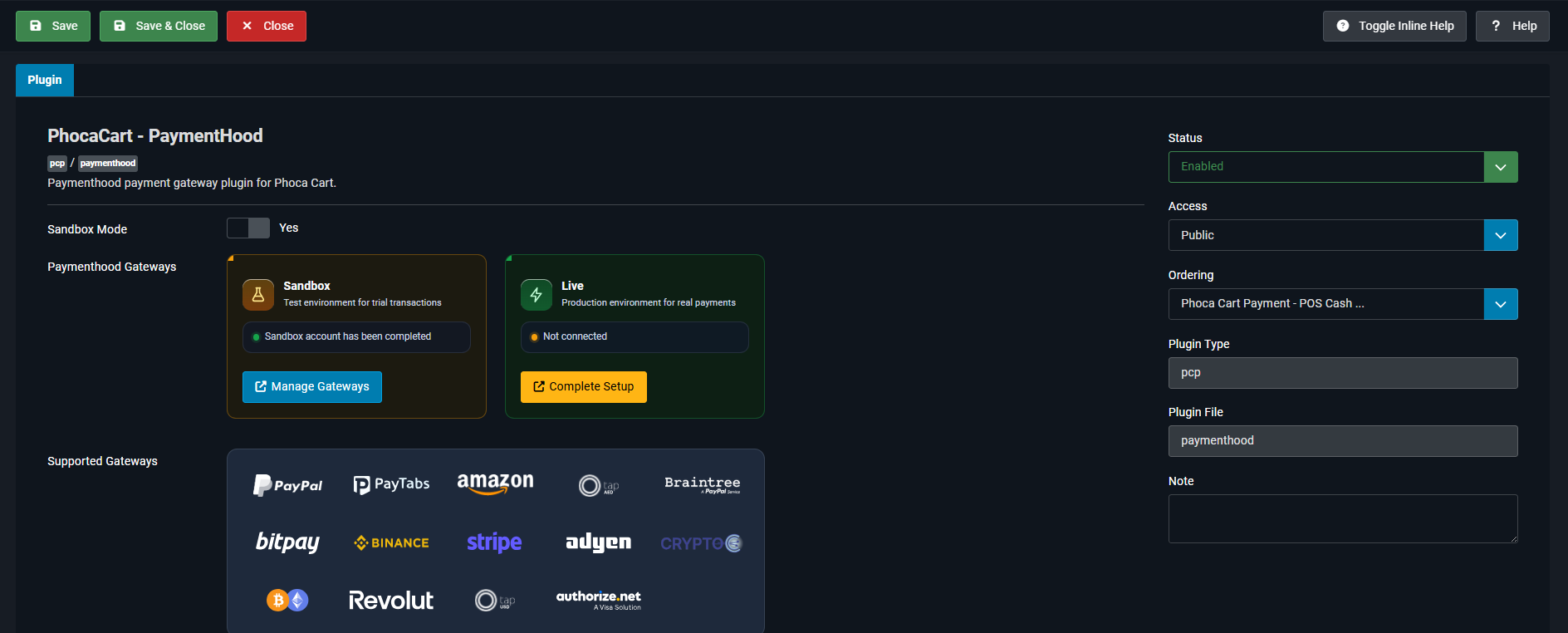
You will be redirected to the PaymentHood Console where you can add your payment gateways for Sandbox or Live environments. Once done, you will automatically return to your Phoca Cart store.
Ready to Get Started?
Download the PaymentHood Phoca Cart plugin and start accepting payments in minutes.